Best Focus and Productivity Tools: How to Reclaim 3 Hours of Deep Work Daily
Ever shut your laptop at the end of the day feeling utterly drained, yet carrying the nagging realization that you didn't finish anything that actually mattered...

Table of Contents
- The Cost of Digital Debt: Why We Lose Three Hours Every Day
- Focus and Workflow Tools: A Practical Breakdown
- Freedom: The Multi-Device Firewall
- Todoist: Execution Speed Without the Clutter
- Notion: The Central Workspace
- Forest: A Visual Anchor Against Phone Checks
- Deep Work Architecture: The Time-Block System
- 1. Morning Triage (15 minutes)
- 2. The Golden Focus Block (90 minutes)
- 3. Active Decompression (15 minutes)
- 4. The Administrative Window (45 minutes)
- Physical Tools and Workspace Ergonomics
- Active Noise-Canceling (ANC) Headphones
- Physical Desktop Timers
- The 5-Step Notification Audit: Digital Hygiene Checklist
- Asynchronous Work: Collaborating Without Constant Pings
- The Art of the Self-Contained Update
- Common Focus Pitfalls to Avoid
- 1. The Isolation Trap
- 2. The Decorative Productivity Trap
- 3. Skipping the Recovery Curve
- Frequently Asked Questions
- What are the best free tools to block website distractions on desktop?
- How can I stop feeling drained by back-to-back virtual meetings?
- How long should a deep focus session last before taking a break?
- What if my company culture expects instant replies all day?
- Sources
Ever shut your laptop at the end of the day feeling utterly drained, yet carrying the nagging realization that you didn't finish anything that actually mattered? You answered sixty Slack pings, fired off dozens of emails, and sat through three impromptu calls. Yet that core project—the strategic proposal, the key design brief, or the codebase that truly moves the needle—remains right where you left it on Monday morning.
You're not alone, and this isn't a willpower issue. We fell into a collective trap: confusing frantic motion with actual progress. In modern work culture, we spend more time coordinating and reporting what we intend to do than executing high-value work. That constant reactivity scatters attention into fragments, blocking creative flow and burning up to three hours every day in pure operational friction.
Here is the good news: you don't need to move into an off-grid cabin to regain control of your schedule. The real answer lies in rethinking your daily systems and choosing a few precise tools that build a clean perimeter around your focus—without going dark on your team. The routines that elevate your productivity don't feel heroic. They feel fluid and natural. Let's reset the board, piece by piece.
Executive Summary (TL;DR) - The Core Problem: Digital debt forces knowledge workers to spend 57% of their day in communication channels and only 43% actually creating, interrupted roughly every two minutes. - The Cognitive Cost: Refocusing after a trivial distraction takes over 23 minutes because of attention residue. - The Strategy: A lean software stack (strict site blocking plus agile execution), physical desktop anchors, and 90-minute work blocks matched to natural ultradian rhythms. - The Outcome: Reclaiming up to three hours of deep focus each day while maintaining crisp, dependable asynchronous communication with teammates and clients.
The Cost of Digital Debt: Why We Lose Three Hours Every Day
To plug a leak, you first have to trace where the energy goes. In remote and hybrid teams, professionals constantly talk about digital debt—the crushing volume of chats, pings, meetings, and shared docs that outpaces our biological ability to process information.
The real-world data paints an eye-opening picture. Global telemetry across trillions of data points in Microsoft 365, published in the Microsoft WorkLab study on communication overload and digital debt, revealed a major imbalance: the average professional spends 57% of their workday communicating—via calls, emails, and direct messages—and just 43% producing core work in documents, spreadsheets, code, or presentations.
Put simply: we aren't drowning because we work too much; we're drowning because we coordinate too much.
Average workday breakdown:
[████████████░░░░░░░░░] 57% Reactive communication and coordination
[█████████░░░░░░░░░░░░] 43% Deep creation and execution
This continuous fragmentation takes a heavy cognitive toll. According to American Psychological Association research on attention spans led by Dr. Gloria Mark at UC Irvine, the average time someone stays on a single screen before switching dropped from 150 seconds in 2004 to just 47 seconds today.
When a notification pulls you out of deep analysis, your brain doesn't instantly snap back when you return. Controlled tracking reveals that reaching that same depth of focus takes 23 minutes and 15 seconds. During that transition, we almost always detour: opening another tab, checking a phone, or replying to an unrelated message.
Professor Sophie Leroy coined this phenomenon attention residue in her research for Organizational Behavior and Human Decision Processes. When you leave Task A mid-stride to field a quick question on Task B, part of your working memory stays anchored to the first conversation. The human brain doesn't feature an instant toggle switch. Switch tracks fifteen times in a morning, and you build a thick cognitive haze long before lunch.
To make matters worse, nearly 44% of daily interruptions are self-inflicted. We don't check our phones just because they buzz; we pick them up instinctively to dodge the brief discomfort of tackling a tough problem. Reclaiming three hours doesn't require superhuman discipline. It requires building an environment where focusing takes less effort than getting distracted.
Focus and Workflow Tools: A Practical Breakdown
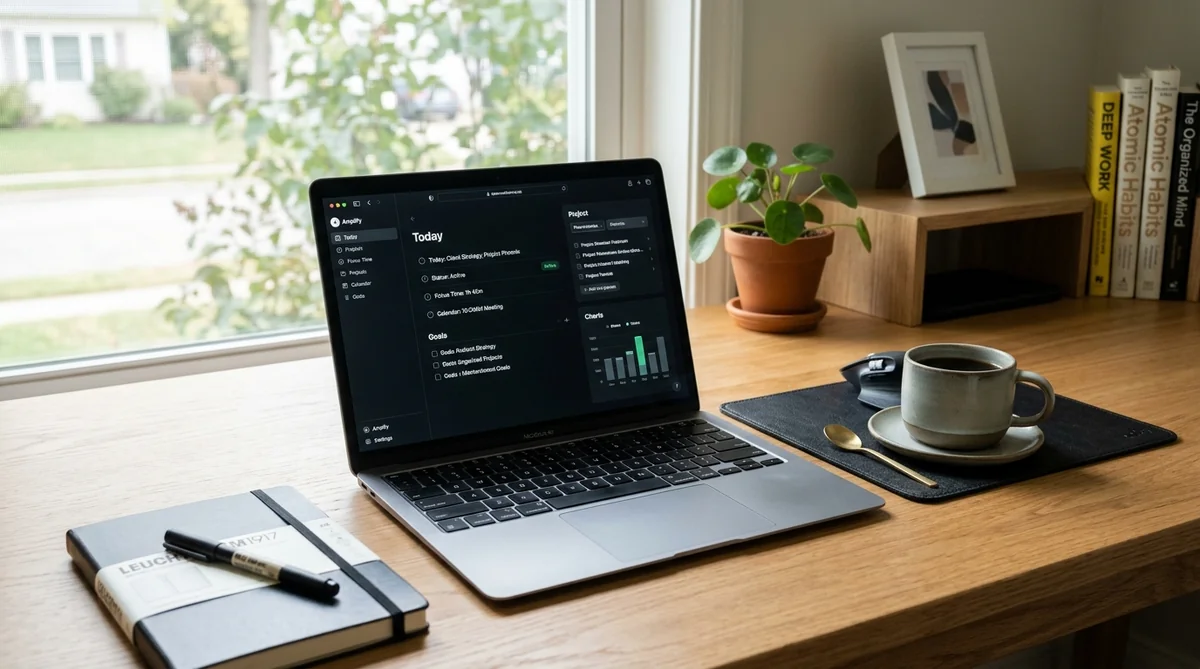
Technology accelerated these interruptions, but it also gives us the best tools to protect our time—if we choose them intentionally. Instead of loading your browser with fifteen competing add-ons, build a clean workflow on two pillars: strict digital perimeters and crystal-clear task hierarchy.
Here is how four leading tools compare in terms of day-to-day friction, learning curve, and practical utility:
| Tool | Primary Purpose | Learning Curve | Cost Level | Best Suited For |
|---|---|---|---|---|
| Freedom | Cross-platform app and website blocking | Very low (set and forget) | Affordable subscription | Anyone prone to reflexively opening social feeds and news tabs |
| Todoist | Rapid capture and daily priority sorting | Low (intuitive and fast) | Generous free tier / Low-cost Pro | Professionals who need to empty their head and organize work without friction |
| Notion | Knowledge base, docs, and project hubs | Medium to high (modular workspace) | Generous free tier / Team tiers | Creators and leads centralizing systems, specs, and resources |
| Forest | Visual time-anchoring and gamified focus | Minimal (immediate mechanic) | Small one-time purchase / Free basic | Those wanting an immediate visual brake against picking up their phone |
Freedom: The Multi-Device Firewall
Freedom tackles a very human habit: running to a second screen. Block social media on your desktop, and your hand reaches for your phone. Freedom syncs your rules across macOS, Windows, iOS, Android, and ChromeOS.
- Strengths: "Locked Mode" prevents you from overriding an active 90-minute session just because you felt an urge to browse your inbox. Blocklists and allowlists take seconds to build.
- Real Drawbacks: Operates on a paid model. If you only want to mute a single browser tab, native OS focus modes can handle that for free.
Todoist: Execution Speed Without the Clutter
Mental fatigue often comes from not knowing your exact next step. Todoist shines because of its natural language input. Typing "Review design spec tomorrow at 11am p1 #Strategy" sets the due date, time, top priority, and project in under three seconds.
- Strengths: Fast capture across desktop and mobile widgets. The "Today" and "Upcoming" views eliminate morning decision fatigue.
- Real Drawbacks: Not built for long-form drafting or complex wikis. It's a pure execution tool meant to pair with a dedicated workspace for dense documentation.
Notion: The Central Workspace
Notion works as a flexible canvas where you can build anything from a simple Kanban board to a linked database for company launches. Centralizing your active materials cuts out the endless tab-hopping required to track down basic information.
- Strengths: Total flexibility to build systems that match your exact thinking style. Its workspace search saves real time throughout the day.
- Real Drawbacks: High risk of "decorative productivity." It's easy to waste an entire afternoon adjusting layouts, icons, and formulas instead of executing core work. Start with basic templates and evolve them as real needs arise.
Forest: A Visual Anchor Against Phone Checks
Forest uses light gamification to curb phone checking. When you start a focus block, you plant a virtual seed in the app. Over the next 25 to 50 minutes, it grows into a tree; open Instagram or check a group chat, and the tree withers.
- Strengths: A tangible, immediate visual reminder of your focus commitment. Reviewing a visual forest of completed sessions provides clean psychological reinforcement.
- Real Drawbacks: Great for independent tasks, deep writing, or study blocks, but less practical for roles that require regular phone coordination with clients.
Deep Work Architecture: The Time-Block System
Installing great tools won't help if your day runs entirely on improvisation. Many people assume working productively means sustaining uninterrupted focus for eight straight hours.
Human biology doesn't work that way. In his research on deep work, Professor Cal Newport highlights that knowledge workers hit a natural biological limit of 3 to 4 hours of elite cognitive focus per day. Forcing your mind past that limit without structured pauses leads to diminishing returns, sloppy mistakes, and burnout.
It's not about stuffing your schedule with secondary tasks. It's about finishing what truly matters. Protecting that three-hour core requires a deliberate rhythm:
flowchart TD
    A["Morning Triage (15 min)<br>Clear emergencies and pick 1-2 core priorities"]
    B["Golden Deep Work Block (90 min)<br>Zero notifications, primary strategic project"]
    C["Active Decompression Break (15 min)<br>Walk, hydrate, rest eyes from screens"]
    D["Admin & Async Block (45 min)<br>Clear email, chat channels, and quick tasks"]
    E["Second Focused Block (60-90 min)<br>Progress on secondary initiatives"]
    F["Shutdown & Next-Day Planning (15 min)<br>Log progress and set tomorrow's priorities"]
    A --> B
    B --> C
    C --> D
    D --> E
    E --> F
1. Morning Triage (15 minutes)
Never open your day inside your inbox or team chat. Do that, and your attention belongs to other people's emergencies. Spend the first fifteen minutes checking your active project list, pick one or at most two high-use tasks that would make the day a win, and block out the exact time to tackle them.
2. The Golden Focus Block (90 minutes)
Human ultradian rhythms cycle through peak alertness for roughly 90 minutes before needing a reset. During this window:
- Turn on Do Not Disturb across all hardware.
- Close any browser tab unrelated to the immediate deliverable.
- Focus exclusively on the primary task chosen during your morning triage.
3. Active Decompression (15 minutes)
Real mental recovery doesn't mean switching from a strategy memo to scrolling social feeds. That passive input keeps your visual cortex working on high alert.
Get up, walk around, grab a glass of water, or look out a window to relax your eyes. Let your brain's diffuse mode process ideas quietly in the background.
4. The Administrative Window (45 minutes)
Now open your communication channels. Clear unread messages, review teammate questions, unblock collaborators, and answer short emails. Grouping these checks into scheduled windows stops the constant drip of interruptions from eroding the rest of your day.
Physical Tools and Workspace Ergonomics
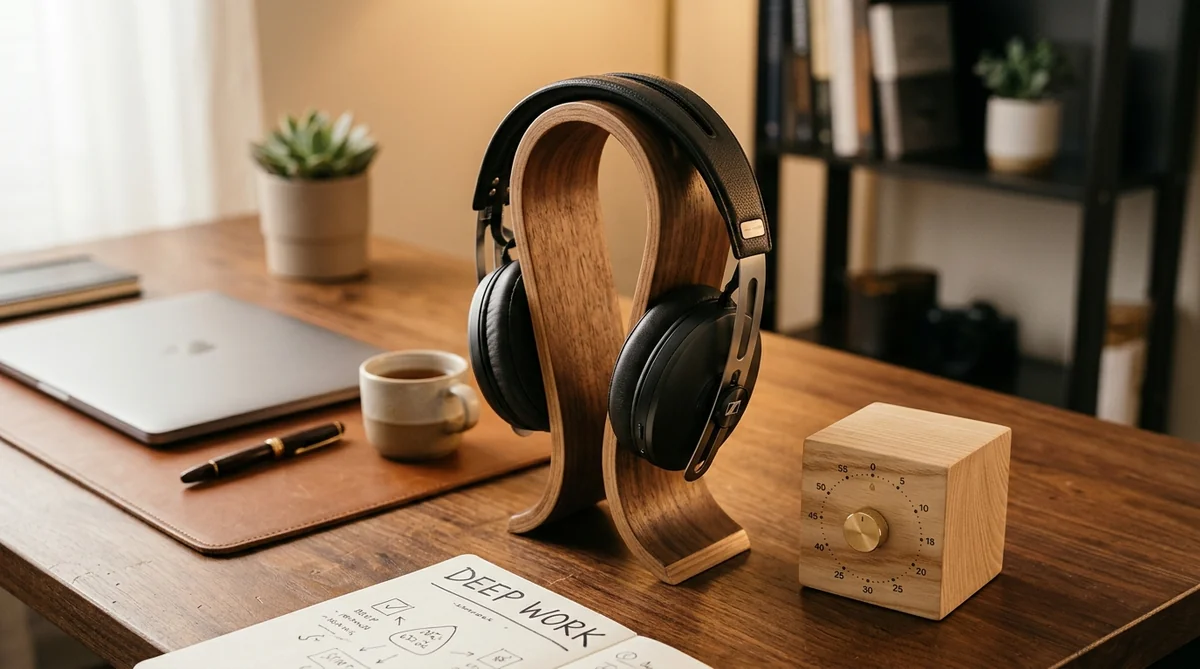
Attention responds heavily to physical cues. If your desk is covered in loose papers, tangled cables, and a phone that vibrates inches from your hand, your attention remains in a subtle, continuous state of alert.
Setting up your physical desk is the fastest way to signal your brain that it's time to build. Two simple tools make an immediate difference.
Active Noise-Canceling (ANC) Headphones
Whether you work from a busy home or an open office floor plan, managing sound matters. Quality ANC headphones don't just dampen chatter; they serve as a behavioral trigger.
Putting them on acts as an entry ritual for focused work. In co-located environments, visible headphones are also a clear social boundary: they let colleagues know you're in the zone and should only be interrupted for real emergencies.
Solid mid-range picks like the Soundcore Space Q45 offer dependable isolation and long battery life, while premium standards like the Sony WH-1000XM5 or Bose QuietComfort deliver top-tier cancellation alongside clear microphones for scheduled calls.
Physical Desktop Timers
Using your phone to time a focus session is usually a trap. You unlock it to start a 25-minute timer, spot three unread notifications, and lose ten minutes before the clock even starts.
Physical desktop timers—such as rotating hexagonal cubes or simple mechanical counters—remove screens from the process entirely. Just flip the cube to start a 15, 30, or 45-minute countdown. Having that visible number on your desk keeps your focus clear without introducing new distractions.
💡 Consejo Pro
Physical objects on your desk act as behavioral anchors. When your brain repeatedly associates a specific desk timer or pair of headphones with meaningful work, resistance drops and getting into flow feels natural.
The 5-Step Notification Audit: Digital Hygiene Checklist
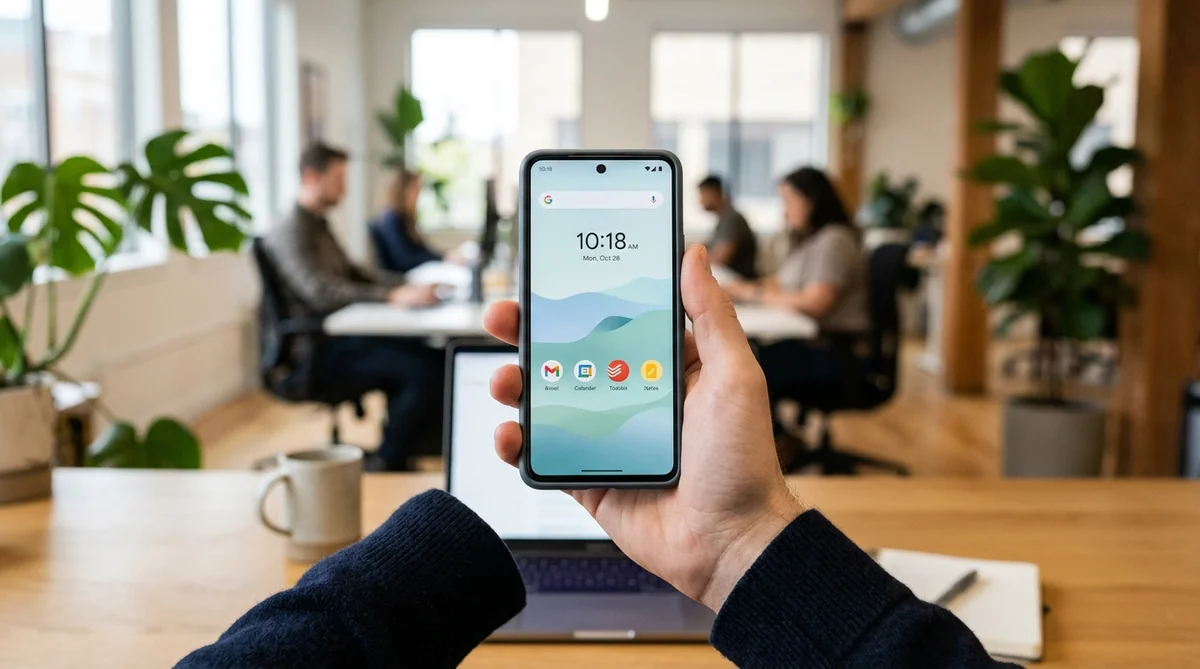
Most professionals keep the default notification settings that came with their devices—settings built by platforms to pull you in as often as possible. Resetting them takes less than ten minutes and immediately lifts your daily baseline of focus.
Run through this quick five-step audit across your hardware:
- 1. Kill red badges and banners: Turn off banner previews: Turn off floating banners for incoming emails and chat apps on your primary monitor. When pop-ups flash in your peripheral vision, your train of thought breaks even if you don't click on them.
- 2. Automate Focus mode: Set a daily on your phone: Set a daily schedule (for example, 9:00 AM to 12:30 PM) where your phone stays completely silent and the screen doesn't wake. Whitelist immediate family or core operational emergency contacts only.
- 3. Mute global channel pings: Inside Slack, Microsoft Teams, or Discord, mute
@channel,@here, and@everyone. Keep direct notifications reserved strictly for your personal handle. - 4. Batch email into two windows: Train daily windows: Train your attention to check email at set intervals: late morning (to clear dependencies) and late afternoon (to log updates). Treating email like an instant messaging app ruins your ability to do deep thinking.
- 5. Move your phone out of sight: Placing sightline: Placing your phone face down on your desk isn't enough. Field studies confirm that just seeing a smartphone in your peripheral view drains working memory, because your brain expends energy fighting the urge to check it. Put it in a drawer, drop it in your bag, or leave it in another room during focus sessions.
Asynchronous Work: Collaborating Without Constant Pings

The main hesitation people have about protecting their focus is understandable: "If I don't reply right away on Slack, my team or my clients will think I'm slacking off."
That worry stems from confusing presence with productivity. Too many teams run on constant reactivity: a low-efficiency model where fast replies look like commitment, even if the work produced is shallow.
Focus isn't the absence of distractions. It's having a project that excites you more than they do and the structure to see it through. The path forward isn't disappearing; it's establishing clear asynchronous communication:
Reactive Culture (Forced Real-Time)        Structured Asynchronous Culture
-----------------------------------        -----------------------------------
• Fragmented pings: "Got a sec?"           • Context-rich, complete messages
• Expectation of instant replies           • Predictable response windows (2-4 hrs)
• Unplanned interruptions all day          • Protected blocks for deep work
• Meetings called to coordinate work       • Clear, shared documentation
The Art of the Self-Contained Update
To end the endless back-and-forth of single-line pings, practice writing complete messages. Instead of sending "Hey, quick question?" and waiting for a reply, send a note covering four points:
- The exact context: The specific client, feature, or document you're addressing.
- The decision or input needed: Your recommended option and the reasoning behind it.
- The timeline: When you genuinely need an answer, avoiding the habit of labeling everything an emergency.
- The default action: What step you'll take next if you don't hear back by the target time.
When your messages are clear and self-contained, you eliminate the ping-pong dynamic that eats away at everyone's morning.
💡 Consejo Pro
Set internal team expectations: Talk with your team to agree on realistic response windows. Agreeing that standard team pings can be answered within two to four hours—leaving direct phone calls as the single path for true operational emergencies—transforms a team's workflow overnight.
Common Focus Pitfalls to Avoid
When trying to reclaim focus, it's easy to swing to extremes that derail your momentum before habits take root. Watch out for these common traps:
1. The Isolation Trap
Going completely dark for days at a time usually creates friction with teammates and clients. Sustainable output doesn't mean becoming a digital hermit. Just be transparent: block focus hours visibly on your shared calendar so everyone knows when you're heads-down and when you're available.
2. The Decorative Productivity Trap
Testing four new apps in a week, color-coding Kanban boards, or reorganizing folders before writing a single word of your project is just sophisticated procrastination. Tools should serve your work, not become your work. If a system takes more than fifteen minutes a day to maintain, simplify it.
3. Skipping the Recovery Curve
Filling time saved from meetings with back-to-back deep work sessions leads straight to mental fatigue. When you wrap a demanding 90-minute block, step away. Give yourself ten minutes of genuine rest: walk around, drink water, let your mind clear. Sharp thinking returns during breaks, not during nonstop overstimulation.
Frequently Asked Questions
What are the best free tools to block website distractions on desktop?
Cold Turkey Blocker (free tier) and the uBlock Origin browser extension are standout free options. They let you build custom blocklists and set timers without spending a dime. Windows 11 Focus sessions and macOS Focus modes also provide effective native system muting out of the box.
How can I stop feeling drained by back-to-back virtual meetings?
Shorten your default invite lengths: dial 30-minute meetings down to 20, and 60-minute calls down to 45. That brief gap gives you time to stretch, hydrate, and reset your eyes. Try to coordinate with your team for a recurring meeting-free day, and always ask whether a quick call could be handled via a shared document with targeted comments.
How long should a deep focus session last before taking a break?
Research into ultradian rhythms suggests that 60 to 90 minutes of intense work followed by a 10 to 15-minute active break is ideal. If you're building the habit from scratch, the classic Pomodoro technique—25 minutes on, 5 minutes off—is an easy, low-pressure way to start.
What if my company culture expects instant replies all day?
Start with small, controlled steps rather than trying to change company culture overnight. Carve out a single 45-minute block for a high-priority task, and set your status: "Drafting project spec until 11:30. Call me if it's urgent." Once peers and managers notice that the quality of your output jumps while you remain dependable for real emergencies, early pushback quickly fades.
Rebuilding your focus doesn't require overhauling your life overnight. Real productivity isn't built on heroic all-nighters; it comes from steady, sensible adjustments that bring clarity back to your desk.
Pick one adjustment today. Set up a quick block in Freedom, mute desktop email alerts, or tuck your phone into a drawer during your next 90-minute focus block. Once you dial down the background noise, you'll rediscover the genuine satisfaction of making real progress on work you care about.
Trademark Disclaimer: All trademarks, logos, and brand names cited (including Freedom, Todoist, Notion, Forest, Slack, Microsoft 365) are the property of their respective owners. Their mention in this publication is strictly for educational and instructional purposes under nominative fair use principles, with no affiliation, endorsement, or sponsorship by the trademark holders.
Sources
- Microsoft WorkLab: Work Trend Index Annual Report – Empirical research on communication overload, telemetry across Microsoft 365, and the impact of digital debt on enterprise teams.
- American Psychological Association (APA) - Speaking of Psychology with Dr. Gloria Mark – Cognitive research on shrinking screen attention spans and the time required to regain flow after distractions.
- Organizational Behavior and Human Decision Processes - Dr. Sophie Leroy – Seminal study examining attention residue and working memory fatigue during rapid task switching.
- DataReportal: Global Digital Overview Reports – Worldwide data on screen time habits, daily device usage, and smartphone check frequency.
- Cal Newport: Deep Work - Rules for Focused Success in a Distracted World – Foundational framework detailing biological limits for cognitive focus and intentional time-blocking.
Written by Félix Soler
Wellness & Psychology Editorial Team
Personaje editorial de El Optimista. Comparte pequeños hábitos diarios para superar el cansancio, organizarte mejor y vivir con calma.
Thematic editorial persona backed by our human curation team.